PICKTUBE · HUMAN-CURATED VIDEO

Videos chosen by peopleGo deeper. Explore wider.

Dive deep into one topic,
or explore diverse content quickly.

No app installation needed. Discover the videos and why they were chosen.

Scan the QR code with your phone camera.

Create a PickBox on the web →
Real PickTube app home screen

Three Perspectives on the AI Era: What Should We Trust and Choose?

Ed Zitron tracks the hype in tech, Michael Saylor speaks about the future of technology and capital, and Seth Godin explores creativity and the meaning of work. I chose three long-form conversations that look at the future from very different perspectives.

Show details⌄
Real PickTube app home screen
WHAT IS PICKTUBE

PickTube is a video curation platformfor exploring videos chosen by people,together with the context behind them.

FOR PICKERS

Add your perspective
and shape a PickBox.

Choose videos around a topic, then add your reasons and context to shape them into one meaningful flow.

FOR DISCOVERY

Follow a PickBox
and explore your way.

Go deep into one subject or move across PickBoxes to discover a wider range of content more quickly.

EXPLORE REAL PICKBOXES

Start with someone’s
PickBox.

What they picked. Why it matters.
Discover the perspective behind the videos.

JungleHuman10/05/2026
Where to Spend a Few Hours in Tokyo: 4 Neighborhoods Compared
WHAT
Choosing where to spend a few relaxed hours in Tokyo? These four videos bring together different creators’ views of Shimokitazawa, Koenji, Kichijoji, and Yanaka–Nezu. • Shimokitazawa — vintage shopping, cafés, and creative spaces such as Bonus Track. • Koenji — shopping arcades, everyday shops, and plenty of food stops. • Kichijoji — Inokashira Park, narrow alleys, and coffee breaks. • Yanaka–Nezu — older streets, local snacks, neighborhood shops, and Nezu Shrine. We chose one video for each area so you can compare both the places and the ways people spend time there. Browse the shops, linger over lunch, or leave room for a long walk—which sounds like your kind of Tokyo day? Have a favorite video about one of these neighborhoods—or another Tokyo area worth comparing? Share it in the comments.
VIDEO NOTE 1
Shimokitazawa: Vintage Shops, Matcha & Café StopsTokyo Cheapo’s 15-minute guide brings together vintage shopping, matcha, cafés, and Bonus Track, with brief detours to nearby areas. There are ideas here for an afternoon of browsing, eating, and taking breaks. Selected moments 00:36 — Matcha at Matcha Passport 04:58 — Exploring Bonus Track 06:24 — Vintage shopping 10:21 — Coffee 13:46 — Kitazawa Hachiman Shrine Why we picked it We chose this guide for its mix of shopping, food, and café stops—useful for deciding whether Shimokitazawa fits the kind of day you want.
VIDEO NOTE 2
Koenji: Shopping Streets, Doughnuts & Neighborhood EatsTabiEats spends a day in Koenji, moving between shrines, shopping streets, small shops, and food stops. The route includes PAL and Look shopping streets, with breaks for doughnuts, burgers, and coffee. Places to look out for PAL & Look — shopping streets and small shops Floresta — doughnuts Awajishima Burger — burgers Monsta Sweets & Ojizo Coffee — coffee and sweets Why we picked it Everyday shops and lanes beneath the railway add another side to our neighborhood comparison. This guide is a useful choice if you like a walk with plenty of places to stop and eat.
VIDEO NOTE 3
Kichijoji: Park Walks, Small Alleys & Coffee BreaksThis walk with Tokyo Kenchan connects the narrow lanes of Harmonica Yokocho with Inokashira Park and café stops. The route also includes Musashino Hachimangu Shrine. Places to look out for Harmonica Yokocho — narrow alleys with small shops and bars Inokashira Park — a walk around the pond Musashino Hachimangu — a shrine stop Tiny Ponta Coffee & Café Arg — places to pause for coffee Why we picked it The park brings time outdoors into our neighborhood comparison. Consider Kichijoji if your ideal afternoon includes exploring small streets, walking by the water, and settling into a café.
VIDEO NOTE 4
Yanaka & Nezu: Old Streets, Local Snacks & a Shrine WalkEnglish subtitles available. A walk with freya c. diary through Yanaka’s small shops and snack stops, including canelés, roasted sweet potatoes, and menchi-katsu. There’s a café break at Hagiso, a visit to Nezu Shrine, and Mont Blanc at Waguriya to finish. Selected moments 00:34 — Yanaka Matsunoya 04:01 — Menchi-katsu at Niku no Suzuki 05:13 — Café break at Hagiso 07:55 — Nezu Shrine 11:20 — Mont Blanc at Waguriya Why we picked it We end the collection with neighborhood shops, snacks, and a shrine visit. Consider Yanaka–Nezu if you enjoy historic streets, browsing local shops, and stopping for something to eat along the way.
D.I.D.10/12/2026
5 Creative Ways People Celebrate Halloween 🎃👻

With Halloween coming up, I've been watching a bunch of Halloween videos on YouTube lately. I came across some really fun and creative ones, so I thought I'd put a few of my favorites together and share them here. There are people turning a YouTube logo into a monster, building animatronics, carving some seriously impressive pumpkins, and making tiny haunted houses. I also found a video of an insanely decorated Halloween yard in California. I honestly didn't realize how much effort and creativity people put into Halloween! They're all pretty different, so you don't have to watch them in any particular order. Just pick whatever looks interesting. Hope you find something you enjoy! 🎃

VIDEO NOTE 1
1. Turning the YouTube Logo Into a Monster | Wicked Makers (via YouTube) 👹I never would've thought of turning the YouTube logo into a Halloween monster, but someone actually did it! I love how such a familiar logo can become something so weird and creepy. It's a fun reminder that Halloween ideas can come from pretty much anywhere. If you're into unusual DIY projects or just enjoy seeing creative ideas come to life, this one's worth checking out.
VIDEO NOTE 2
2. We Built Our First Animatronic Again | Wicked Makers (via YouTube) 🧟These creators decided to go back and remake one of their very first animatronic monsters, Huggy Wuggy, using everything they've learned since then. I think it's really cool to see people revisit an old project and find ways to make it better. It's not just about building a creepy monster — it's also about seeing how much their skills have improved. If you enjoy creative builds, behind-the-scenes processes, or watching people get better at something they love, this one's worth a look.
VIDEO NOTE 3
3. 13 Levels of Pumpkin Carving: Easy to Complex | WIRED (via YouTube) 🎃I Had No Idea Pumpkin Carving Could Get This Complicated! I always thought pumpkin carving was mostly about cutting out funny or scary faces. Turns out there's a lot more to it! In this video, a professional pumpkin carver walks through 13 levels of carving, from simple designs to some seriously impressive techniques. It's pretty amazing how much detail you can get out of a single pumpkin. I especially like that you can see how the techniques get more advanced step by step. If you've ever carved a pumpkin for Halloween, or just enjoy watching skilled people do their thing, this is a fun one to check out. Levels 1-4: Foundation & Basics Level 1 (0:45): Basic jack-o'-lantern carving using a classic triangle design. Level 2 (2:21): Embellished jack-o'-lanterns, adding character through facial expressions and extra teeth. Level 3 (3:46): Realistic pumpkin carving, focusing on light representation and shadows. Level 4 (6:03): Adding backgrounds to create narrative and depth. Levels 5-8: Advanced Techniques Level 5 (7:25): Layered carving to achieve various shading effects using the pumpkin's natural translucency. Level 6 (9:06): Back carving, shaving the interior of the pumpkin wall for subtle highlights. Level 7 (10:51): 3D sculpting, treating the pumpkin like stone or wood for depth and form. Level 8 (13:22): Sculpting a 3D background to enhance the main subject. Levels 9-13: Complex Artistry Level 9 (15:17): Attaching additional pumpkin pieces using dowels and adhesive. Level 10 (16:53): Integrating internal lights for specialized accents. Level 11 (18:27): Using multiple pumpkins to build larger, multi-part structures. Level 12 (20:11): Painting the pumpkin to add shadow and definition. Level 13 (21:34): Pushing the limits with armatures, mechanical servos, and mixed-media techniques to create a "pumpkin zombie."
VIDEO NOTE 4
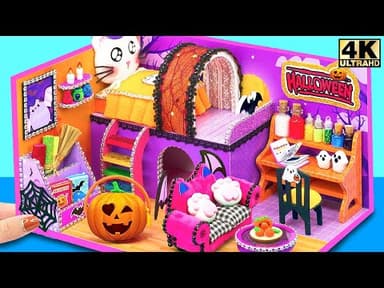
4. How to Make Miniature Haunted Halloween House | Cardboard Design (via YouTube) 🏚️A Tiny Haunted House That's More Cute Than Scary! I wanted to pick something a little different this time, so I went with this adorable miniature Halloween house! It's amazing how much detail you can create with just cardboard and a little imagination. The tiny rooms and Halloween decorations are so cute, and it's fun watching everything come together. I think kids would really enjoy this one, too. It's a nice change from all the scary monsters and creepy Halloween decorations. If you love miniatures, cute crafts, or just watching people make tiny things, this one's for you! Timestamps from YouTube 0:00 | Intro video 0:28 | How to Make Miniature Haunted Halloween 2023 House 09:40 | Relax with my Haunted Halloween 2023 House 10:20 | Build Halloween Haunted Palace from Cardboard 18:20 | Admire the Halloween Palace 19:35 | Make 2 Bedroom Hello Kitty Halloween House 29:10 | Relax with my Hello Kitty Halloween House
VIDEO NOTE 5
5. THE ULTIMATE HALLOWEEN YARD DISPLAY | INSANE HAUNTED HOUSE & ANIMATRONICS FULL TOUR | Dreamland Mouse (via YouTube) 👻A Halloween Night in Burbank, California 🎃 I found this video of a house in Burbank, California, and wow, they really went all out for Halloween! There are giant skeletons, glowing pumpkins, moving monsters, and spooky lights everywhere. It almost looks like a little theme park! I love seeing how much effort people put into decorating their homes for Halloween. It's amazing how an ordinary yard can turn into something like this. There's no talking or narration, so you can just relax and enjoy looking around. If you love Halloween decorations or you're curious about how people celebrate Halloween in the US, this one's definitely worth a look!

JungleHuman10/04/2026
4 YouTube Videos for Better Phone Photos: Light, Composition & Editing
WHAT
Four videos on light, composition, everyday phone photography, and editing—different perspectives to help you make more of the camera you carry. The first two videos cover light and composition through general photography lessons, with ideas you can apply to phone photos. The next two focus on phone photography tips and editing in Snapseed. The order follows the process of making a photo: notice the light, decide what belongs in the frame, take the shot, and refine it. Try one idea with a photo of your own. A portrait, a cup on the table, or a familiar street is a good place to start.
VIDEO NOTE 1
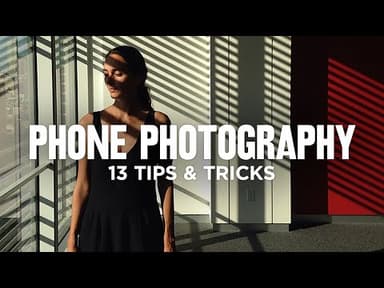
Light: 10 Tips for Better Portraits in Natural Light | Julia TrottiTen common mistakes when photographing portraits in natural light, explained through photo examples. Learn to notice background brightness, the time of day, and the direction of light. The demonstrations use a camera, but the advice on positioning yourself and your subject applies to phone photos too. Selected moments 00:27 — Balancing the light on your subject and background 01:28 — Working with midday sunlight 04:30 — Paying attention to the direction of light 06:31 — Finding the catchlight in someone’s eyes 09:23 — Choosing a location for its light Why I picked it I like the reminder that moving a little can change the photo. It gives you something concrete to try before moving on to composition and editing.
VIDEO NOTE 2
Composition: Decide What Belongs in the Frame | Jamie WindsorEight composition tips on changing your viewpoint, reducing distractions, and paying attention to the edges of the frame. Learn to decide what you want someone to notice in your photo. The lesson covers photography in general, but these ideas work with your phone too. Selected moments 01:59 — Changing your shooting position 09:01 — Simplifying the frame Why I picked it I like how this turns composition into choices you can try with the scene in front of you. After noticing the light, it’s a useful guide to deciding what to include and what to leave out.
VIDEO NOTE 3
Shooting: Find a Photo in an Everyday Moment | Jamie WindsorThis video explores what phone photography can offer, then moves into practical tips on strong light, shapes, and taking time over a shot. The practical tips begin at 08:37. Selected moments 08:37 — The practical phone photography tips begin 15:46 — Taking time over a shot Why I picked it I chose this to bring the earlier lessons into everyday life. You can try them on a familiar street or during a short walk.
VIDEO NOTE 4
Editing: Finish Your Photo in Snapseed | Photo GeniusA short Snapseed tutorial that starts with a basic portrait edit, then introduces perspective correction and ways to revisit your edits. Published in 2024; some screens and controls may look different in the current version of Snapseed. Selected moments 00:50 — A basic portrait edit 06:37 — Correcting perspective Why I picked it I put this last so you can edit a photo you took while trying the earlier tips. It’s a chance to bring light, composition, shooting, and editing together in one picture.

↗ Select a title or thumbnail to open the published PickBox in a new tab.

HOW PICKTUBE WORKS

Deeper content,
broader perspectives.

Discover a PickBox and follow its flow—or create one and add a perspective of your own.

01DISCOVER

Discover with context

Review the title, description, tags, and video list at a glance, then choose the PickBox you want to watch.

02EXPLORE

Follow one topic deeper

Explore several videos on one subject by following the thoughtful sequence created by a Picker.

03CREATE

Reframe it with your perspective

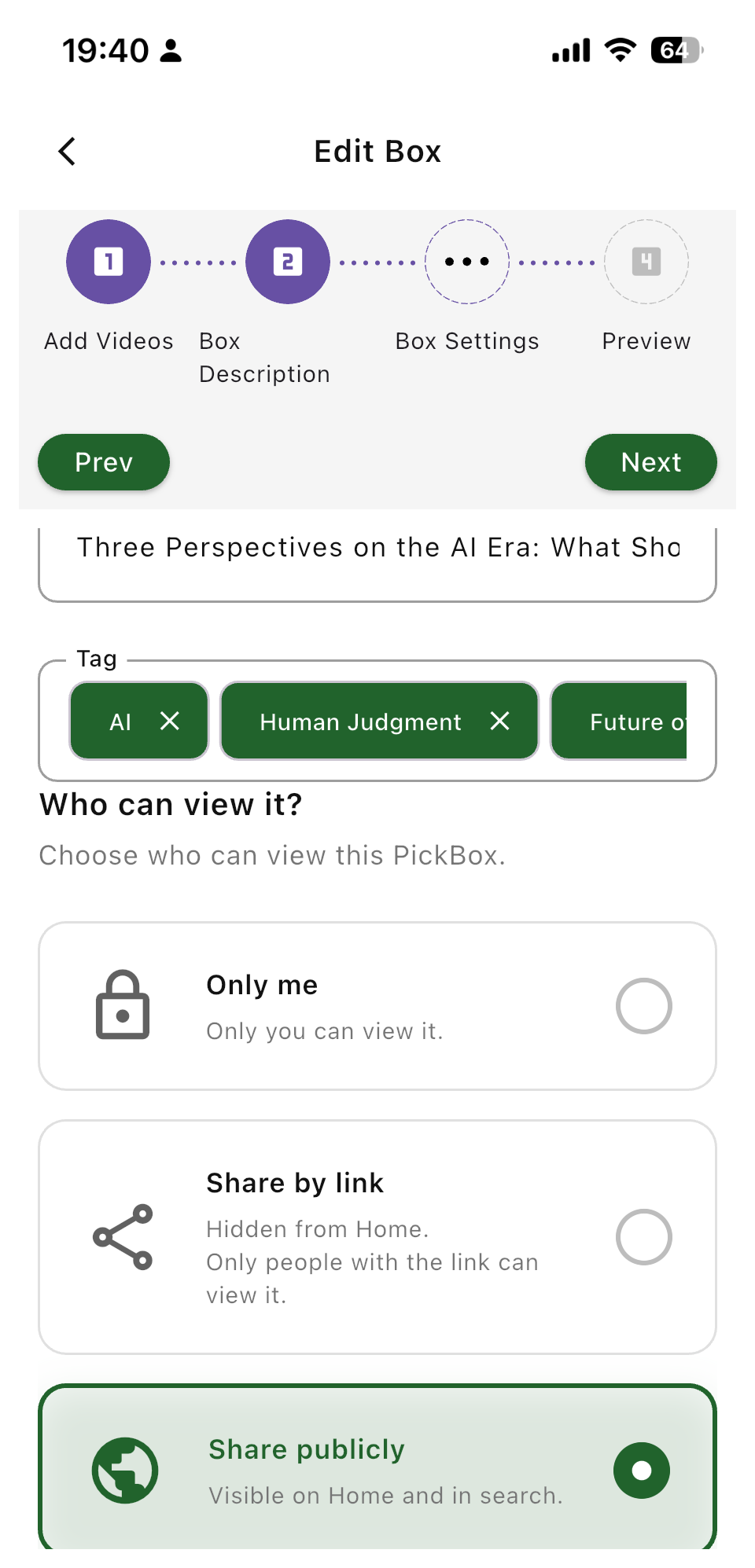
Collect the videos that stayed with you, then add your reasons and notes to create your own PickBox.

YOUR FIRST PICKBOX

Create a PickBox
in 3 steps.

See the essential flow for creating a PickBox in three simple steps.

STEP 01

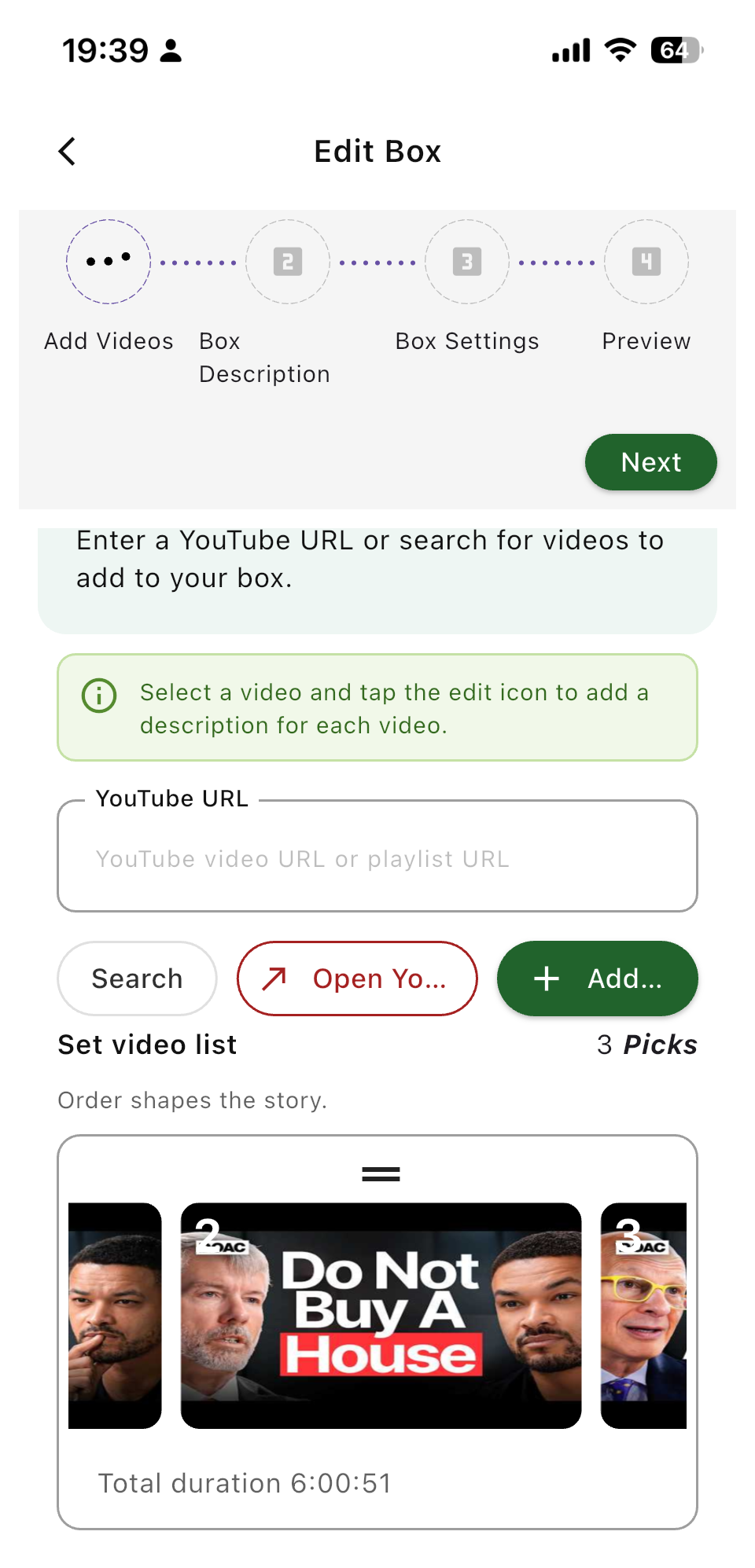
Add the videos that stayed with you

Add anything to your PickBox—from a single video link to an entire playlist.

Real app screenAdd videos
The PickTube app screen for adding YouTube videos and playlists

Open the app or web version to see the full creation flow now.

Not sure how to create your first PickBox?

START WITH PICKTUBE

Turn your video picks into
your own PickBox today.

Share your finished PickBox with a friend.

Scan the QR code with your phone camera.

Create a PickBox on the web →